|
Save Money: Plain Paper Printing with your Own Logo
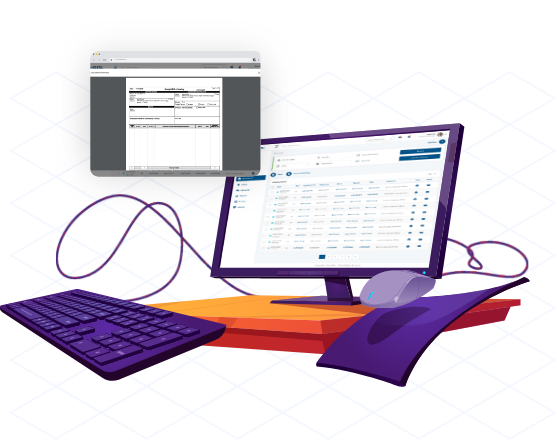
SmartBOL advanced Bill of Lading Software creates VICS and Straight bill of lading forms that can be sent as an Email or printed on regular laser, inkjet or DMP printers using plain paper. Saves money on pre-printed forms. Additionally, prints your own logo and company information on top of each bill of lading form. This is a standard feature on Classic version. Save money on customization.
Supports Master Bill of Lading and Multi-Stop Shipments:
SmartBOL Classic supports master and underlying bill of lading creation and multi-stop shipments.
Also prints on pre-printed form:
SmartBOL advanced Bill of Lading Software creates VICS and Straight bill of lading forms
Save Time:
SmartBOL software maintains Shipper, Consignee, Third Party Bill to, Carrier and other information for convenient data entry. Any stored bill of lading record can be used to create a new bill of lading. Default template reduces repetitive data entry by storing frequently used information. New Bill of Lading gets pre-filled with this information. Consignee special instructions and routing information is automatically entered in the special instructions when a consignee is selected.
VICS Compliant:
VICS compliant setting generates 17 digit number using shipper’s UCC code and prints it as UCC/EAN 128 barcode. Bill of lading numbers can be typed in or assigned automatically. VICS supplemental form is automatically printed when necessary. Convenient order and package tally pin-points order and package mismatch.
Manifest and Shipping Labels:
Manifests and Pallet labels are printed on regular printer paper with your logo and company information. Standard and Wal-Mart shipping labels are printed on commonly used labels (Avery 5164, 8164 or 5168) using regular or barcode printers.
Convenient and User-friendly:
User friendly interface uses auto-fill and auto-complete features for convenient data entry. SmartBOL saves bill of lading forms in PDF format. Just select as records and click Save PDF. Or you may email a Bill of Lading as PDF directly from the software itself.
Reports:
SmartBOL software creates business reports that can be printed on plain paper, saved as PDF or exported as and Excel sheet.
Upgrades, Updates and Support for One Full year:
SmartBOL software license comes with one full year of updates, upgrades and support. All new versions and features are available to you for no additional cost.
Transfer Bill of Lading from One Location to Another:
SmartBOL Classic with Import Option transfers BOLs from one location to another. Lets the Warehouse complete Bill of Lading created by the back-office. Contact Sales (sales@smartbol.com) for details.
Save Bill of Lading in CSV or XML format:
SmartBOL Classic with CSV or XML export option saves BOL one or more bill of lading records to CSV or XML file. Contact Sales (sales@smartbol.com) for details.
Option: QuickBooks and Peachtree Import:
SmartBOL Classic with QuickBooks or Peachtree Import option retrieves QuickBooks
(2003 thru 2009) or Peachtree (2003 thru 2009) sales
order or invoice information to create Bill of Lading. Saves manual data entry. Contact Sales (sales@smartbol.com) for details.
Customization:
We customize SmartBOL software as per Customer requirements at reasonable charges. Add your Bill of Lading format, print on pre-printed forms or retrieve information from any other source. Contact Sales (sales@smartbol.com) for details.
Custom Bill of Lading Application:
Get your own fully customized bill of lading application with custom Bill of Lading format at affordable prices. Email SmartBOL Sales (sales@smartbol.com) with your contact information for pricing and other details.
|